Free Word Counter Tool 2026: Count Words, Characters & Reading Time
Published Mar 17, 2026 | Last updated: May 2026 | 7 min read | Aditi Garsa
This article contains an affiliate link. If you sign up through it, we may earn a commission at no extra cost to you. Read our affiliate disclosure.
Quick Answer
Our free Word Counter tool instantly counts words, characters (with and without spaces), sentences, paragraphs, and reading time, for any text you paste in. No signup, no account, works on any device. Use it before publishing any content to verify SEO word count targets and reading time estimates.
Word counting sounds simple, and it is. But the surrounding metrics (character count, reading time, sentence count) have real implications for SEO, content quality, and conversion performance that most writers miss.
This guide covers what our free word counter measures, why each metric matters for content and SEO, and the specific situations where checking these numbers before publishing can make a measurable difference to your results.
What the Word Counter Measures
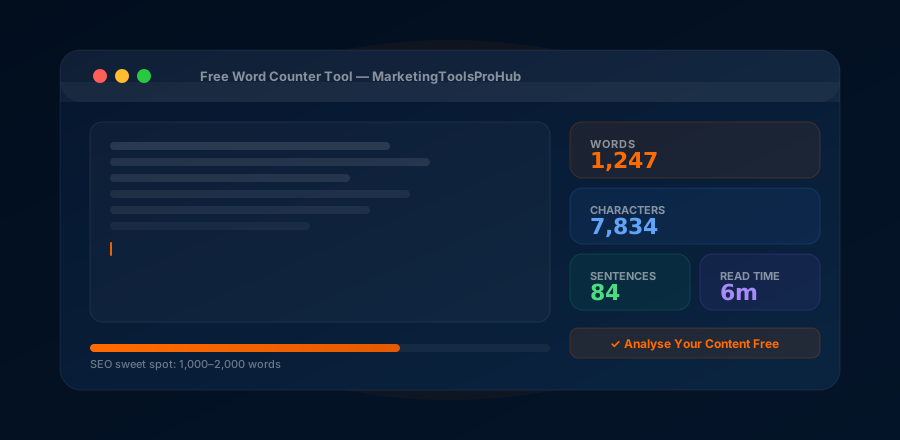
Our free word counter gives you six key metrics for any text you paste:
Word Count
Total number of words. The primary metric for SEO content targeting, academic requirements, and publication guidelines.
Character Count
Total characters with and without spaces. Critical for meta descriptions, Twitter posts, SMS, and any character-limited context.
Reading Time
Estimated minutes to read based on 250 words/minute average. Display in article headers to set reader expectations and improve dwell time.
Sentence Count
Total sentences. High sentence count relative to word count indicates shorter sentences, generally easier to read. Low ratio indicates longer, denser sentences.
Paragraph Count
Total paragraphs. For web content, high paragraph count = short paragraphs = better readability on mobile. Aim for 2–4 sentences per paragraph maximum.
Unique Words
Number of distinct words used. Higher unique word count indicates richer vocabulary, a quality signal for content depth and semantic relevance.
How to Use the Free Word Counter
Open the tool
Go to the free Word Counter tool on MarketingToolsProHub. No signup, no account, open and use immediately.
Paste your text
Copy your content (Ctrl+A, Ctrl+C) from your document, email, or writing tool and paste it (Ctrl+V) into the text area. Results update instantly as you type or paste.
Read your metrics
All six metrics display instantly: word count, character count (with/without spaces), reading time, sentence count, paragraph count. No submit button needed.
Compare against your targets
Compare word count against your SEO target range. Compare character count against your meta description limit. Compare reading time against what you're displaying in your article header.
Word Count & SEO: What the Data Says
Word count is not a direct Google ranking factor, but the correlation between content length and first-page rankings is consistent across every major SEO study. The reason: longer content typically covers topics more comprehensively, earns more backlinks, targets more semantic keyword variants, and satisfies search intent more completely.
→ Blog post (informational): 1,500–2,500 words
→ Pillar page / hub: 2,500–4,000 words
→ Service landing page: 800–1,500 words
→ Product page: 500–1,000 words
→ FAQ answer: 300–600 words
→ News/update post: 400–800 words
Use the word counter after drafting to see if you've covered enough ground, not as a target to inflate. If your 800-word product page covers everything a buyer needs to know, that's the right length. If your 2,000-word blog post feels padded, it is.
For full detail by content type, see the Ideal Word Count for SEO 2026 guide.
Character Count: Where It Matters Most
| Context | Character limit | Notes |
|---|---|---|
| Google meta description | 150–155 | Longer gets truncated in SERPs |
| Google meta title | 50–60 | Pixel-based · ~600 px width |
| Twitter / X post | 280 | Links count as 23 chars |
| LinkedIn post · pre-"see more" | ~210 | hook must land here |
| SMS message | 160 | One segment · over = 2 messages |
| Google Business description | 750 | First 250 most visible |
| Instagram bio | 150 | No clickable links in bio text |
| Email subject line | 40–60 | Mobile preview shows ~30–40 |
Reading Time: Why It Matters for Dwell Time & SEO
Reading time estimates help both readers and Google. For readers, displaying "8 min read" in your article header sets expectations, someone searching for a deep dive commits to reading; someone skimming knows to save it. For Google, content that takes 8 minutes to read, and where users actually spend 6–8 minutes, signals that the content is substantive and satisfying search intent.
Dwell time (time spent on a page before returning to Google) is widely believed to be an indirect ranking signal. Long-form content that earns long dwell times tends to maintain or improve rankings over time. Short dwell times on competitive keywords can cause ranking drops.
Reading time = total word count ÷ 250 (average adult reading speed for online content)
A 1,500-word post = 6 minutes. A 2,500-word post = 10 minutes. Display the estimate in your article header for better UX.
7 Use Cases for the Free Word Counter
Pre-publish SEO check
Before publishing any blog post or page, paste the body copy into the counter to verify it meets your target word count for the keyword's competitive level.
Meta description length check
Write your meta description, paste it into the character counter, and confirm it's between 120–155 characters before publishing. Prevents truncation in search results.
LinkedIn post first-line check
Paste your LinkedIn post and check that your hook lands within the first ~210 characters, before the "see more" truncation point on desktop.
Email subject line optimization
Check subject line character count against your ESP's preview limit. Most mobile email clients show 30–40 characters of the subject line, front-load your key message.
Academic or submission requirements
Checking content against word limits or minimums for academic essays, grant applications, PR submissions, or client deliverables with specified word count requirements.
Reading time for article headers
Get your reading time estimate and add it to your article header ("8 min read"). This sets reader expectations, reduces bounce from mismatched intent, and is associated with lower exit rates.
Cold email length check
Cold emails under 120 words get the highest reply rates. Paste your cold email draft into the counter to make sure you haven't written an essay. The data is clear: shorter cold emails outperform longer ones.
Bottom Line
A word counter is a simple tool, but it's one of the most frequently useful tools in a writer or marketer's daily workflow. Meta descriptions, article word counts, cold email lengths, LinkedIn hook characters, social post limits, all of these have optimal ranges that are easy to verify and hard to remember from the top of your head. Use our free tool to check before you publish. It takes 30 seconds and saves the embarrassment of a truncated meta description or an over-length cold email.
Use the Free Word Counter →What I actually check before publishing
People assume a word counter is for writers obsessing over length, but the way I use it is almost entirely about the metrics nobody talks about. The word count I usually already know roughly. What I'm really pasting in to verify is the character count on the meta description, because a description that gets chopped mid-sentence in the search results quietly costs clicks for months before anyone notices, and the reading time, because putting an honest "7 min read" at the top of an article measurably improves how far people scroll. Those two checks take fifteen seconds and prevent the most common silent mistakes I see in published content. So I don't think of it as a word counter at all; I think of it as the last thing I run before I hit publish, the way you'd glance in the mirror before leaving the house.