Pipedrive vs HubSpot 2026: Which CRM Should You Actually Use?
This comparison gets answered wrong because people compare the tools instead of comparing them to their own stage. Pipedrive and HubSpot aren't really competing for the same buyer: one is a sales pipeline tool, the other is a full marketing-and-sales platform that happens to include a CRM. The honest question isn't "which is better," it's "which problem do you actually have right now, deal management or full-funnel marketing?" Answer that and the choice mostly makes itself.
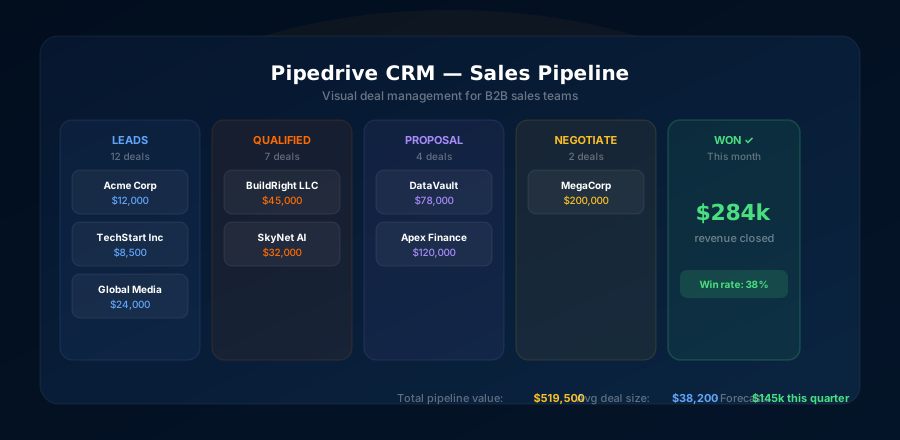
Quick verdict: Pipedrive wins for focused sales teams (simpler, faster, $14-$99/user/month); HubSpot wins for full marketing+sales orgs that need campaigns, landing pages, and CRM in one ecosystem ($90-$150+/user/month for the real equivalent). Pick on the problem you have today, deal management or full-funnel marketing, not the org you imagine in two years.
Why This Comparison Actually Matters
Choosing the wrong CRM is expensive in two ways: the subscription cost itself, and the time cost of switching later. I've watched teams spend six months building workflows in HubSpot only to realize they're paying $2,000/month for features they barely use. I've also seen teams try to run full marketing operations in Pipedrive and hit a wall immediately.
The truth is, these tools serve different use cases. Pipedrive was built by salespeople frustrated with overcomplicated CRMs. HubSpot was built to be an all-in-one growth platform. Neither is universally better. But one of them is almost certainly better for you.
In this comparison I'll walk through pricing, core features, ease of use, automation, and the specific scenarios where each tool wins. By the end, you'll know exactly which one to choose.
Pricing: Pipedrive vs HubSpot
Let's start with what most people care about most, how much this is going to cost.
Pipedrive Pricing (2026)
Essential
- Pipeline management
- Contact & deal management
- Email sync
- Basic reporting
- Mobile app
Advanced
- Email sequences
- Workflow automations
- Two-way email sync
- Meeting scheduler
- Group emailing
Professional
- Revenue forecasting
- Custom fields & reports
- E-signature
- Team goals
- Enhanced security
Power / Enterprise
- Phone support
- Implementation program
- SAML SSO
- Unlimited reports
- Dedicated account manager
HubSpot Pricing (2026)
Free CRM
- Basic contacts & deals
- 1 pipeline
- Limited automation (5 actions)
- HubSpot branding on emails
- Basic reporting
Sales Hub Starter
- Email tracking
- Meeting scheduler
- Simple sequences
- 2 pipelines
- No HubSpot branding
Sales Hub Professional
- Full automation
- Forecasting
- Custom reporting
- Playbooks
- Sequences (500/day limit)
Marketing Hub Pro
- Email campaigns (2,000 contacts)
- Landing pages
- A/B testing
- SEO tools
- Social scheduling
Feature Comparison: Head-to-Head
| Feature | Pipedrive | HubSpot | Winner |
|---|---|---|---|
| Pipeline management | Built for it | Good but complex | Pipedrive |
| Contact management | Strong | Richer data | HubSpot |
| Email automation | Good · Advanced+ | Excellent · Marketing Hub | HubSpot |
| Sales sequences | Good · Advanced+ | Good · Sales Pro+ | Tie |
| Reporting & analytics | Solid · Pro+ | Multi-touch attrib. | HubSpot |
| Ease of use | Very intuitive | Steeper curve | Pipedrive |
| Setup speed | Hours | Days to weeks | Pipedrive |
| Marketing tools | Limited add-ons | Full Marketing Hub | HubSpot |
| Landing pages | Not available | Yes · Marketing Hub | HubSpot |
| Free plan | 14-day trial | Yes · limited | HubSpot |
| Integrations | 400+ | 1,000+ | HubSpot |
| Mobile app | Excellent | Good | Pipedrive |
| Pricing | $14–$99/user | $0–$150+ + flat hubs | Pipedrive |
| API & customization | Good | Excellent | HubSpot |
Pipeline Management: Pipedrive's Home Turf
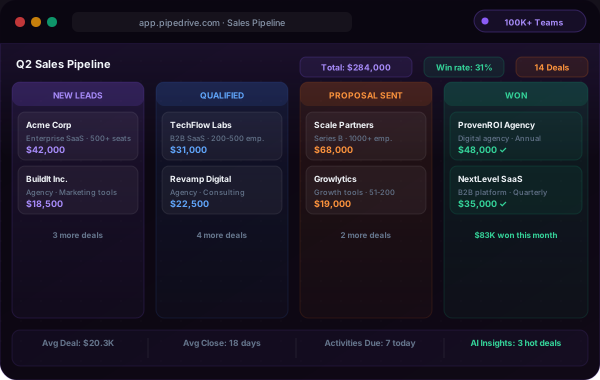
This is where Pipedrive absolutely shines. The Kanban-style pipeline view is clean, drag-and-drop, and takes less than a minute to understand. You can see every deal, its stage, and its value at a glance. Filters let you slice by owner, product, expected close date, or any custom field in seconds.
HubSpot's pipeline view works, but it's clearly an afterthought compared to Pipedrive. The interface is busier, the configuration is more complex, and basic tasks like moving a deal or logging an activity take more clicks. For a sales rep who lives in their CRM all day, that friction adds up.
Pipedrive also lets you run multiple pipelines for different products, regions, or deal types at no extra cost on most plans. HubSpot limits you to 2 pipelines on Starter and charges more for additional ones on Professional.
Email & Automation: Where HubSpot Pulls Ahead
For pure email marketing, campaigns, newsletters, segmentation, A/B testing, behavioral triggers, HubSpot's Marketing Hub is in a different league. It's one of the best email marketing platforms in the industry, and when you pair it with the CRM data, the personalization potential is enormous.
Pipedrive's email tools are solid for sales outreach. You get email sync, templates, tracking, and sequences on the Advanced plan. But if you want to send a monthly newsletter to your entire contact list, track website visitor behavior to trigger emails, or build complex multi-branch automation workflows, Pipedrive will leave you needing another tool.
Sales Email Sequences
Pipedrive Advanced and HubSpot Sales Pro are roughly equivalent here. Both support multi-step sequences, personalization tokens, and reply detection.
Email Campaigns
HubSpot wins decisively. Full campaign builder, segmentation, A/B testing, behavioral triggers. Pipedrive doesn't have a campaign feature without add-ons.
Workflow Automation
HubSpot's workflow builder handles complex multi-branch logic. Pipedrive's automation is simpler but covers 90% of sales automation needs.
Lead Scoring
HubSpot has native predictive lead scoring. Pipedrive doesn't have native lead scoring, you'd need a third-party integration.
Ease of Use: Not Even Close
I've helped onboard teams to both platforms, and the difference in ramp-up time is stark. With Pipedrive, a typical sales rep is fully operational within a few hours. The interface is logical, the pipeline is visible the moment you log in, and activities are simple to log.
HubSpot is powerful, but it has a complexity tax. The left sidebar has nine different sections. Contacts, companies, deals, tickets, activities all live in separate modules. Workflows are their own universe. Most teams need at least a few days of dedicated training, and if you're using both Marketing Hub and Sales Hub, plan for a proper implementation project.
This matters more than people think. A CRM your reps actually use is infinitely more valuable than a feature-rich one they avoid. Pipedrive consistently gets higher adoption rates within sales teams because it's not intimidating.
Integrations
HubSpot wins on raw number, over 1,000 native integrations vs Pipedrive's 400+. But Pipedrive covers all the essentials: Slack, Gmail, Outlook, Zapier, Zoom, LinkedIn, Apollo, Mailchimp, Stripe, and more. For most small and mid-size teams, Pipedrive's integration library is more than sufficient.
Where HubSpot's integration advantage really shows is in the marketing tech stack. Native connections to Google Ads, Facebook Ads, Salesforce sync, and advanced CMS/CRM data sharing are areas where HubSpot's ecosystem is superior.
Who Should Choose Pipedrive?
Choose Pipedrive if:
- You're a sales-first team, pipeline management is your primary need
- You want fast setup and high rep adoption without extensive training
- Budget matters, you want excellent CRM functionality at a fair price
- You're doing outbound sales (cold email, calls, follow-ups) as your main motion
- You're a startup or SMB that doesn't need a full marketing platform
- You use dedicated tools for email marketing (Mailchimp, Instantly, etc.) and just want CRM data centralized
Who Should Choose HubSpot?
Choose HubSpot if:
- You run inbound marketing alongside sales, blog content, SEO, paid campaigns
- You need marketing automation at scale (nurture sequences, behavioral triggers, scoring)
- You want a single platform for marketing, sales, and customer service
- You have budget for the full suite, especially if VC-backed or enterprise
- You need advanced reporting with multi-touch attribution across the entire funnel
- Your team is running e-commerce or complex B2C funnels alongside B2B sales
The most expensive CRM mistake I see is buying HubSpot for the org chart you hope to have. A 6-person sales team signs a HubSpot contract because "we'll do marketing automation eventually," then 18 months later they're paying Sales Hub Professional prices while using maybe 20% of the platform, and the reps quietly run their actual pipeline in a spreadsheet because the full suite is too heavy for daily deal work. Buy for the problem in front of you. If your bottleneck is "deals slip through the cracks," that's a Pipedrive problem and HubSpot's marketing firepower is dead weight. You can always migrate up when a real marketing-ops function exists, and by then you'll know exactly which HubSpot hubs you need instead of paying for all of them on a guess.
Our Honest Verdict for 2026
For the majority of B2B sales teams reading this, especially those doing outbound, running small to mid-size teams, or watching spend carefully, Pipedrive is the better choice. It's built for what you're actually doing, it won't drain your budget, and your reps will actually use it.
HubSpot is world-class, but it's also expensive and complex. It shines when you're doing marketing + sales together, when you have a dedicated RevOps or marketing ops person, and when the budget allows for the full suite. For a team of 3–10 salespeople focused on closing deals, paying 3–6x more for features you won't use doesn't make sense.
One practical note: many teams I know use Pipedrive as their CRM and pair it with Apollo.io for lead generation and Instantly or Mailreach for email deliverability. That stack costs less than HubSpot Sales Pro alone and outperforms it for outbound sales. Check our full Pipedrive review and Apollo review for more on building that stack.
Which one fits your stage
Pipedrive, best for sales-focused teams who want a fast, affordable, and usable CRM. Start at $14/user/month and scale only what you need.
HubSpot, best for full-funnel organizations running inbound marketing, need marketing automation, and have the budget for the full suite.