How to Schedule Facebook Posts in 2026: Pages, Groups & Profiles
Published Jun 10, 2026 | Last updated: Jul 2026 | 8 min read | Sayanta Ghosh
Quick Answer
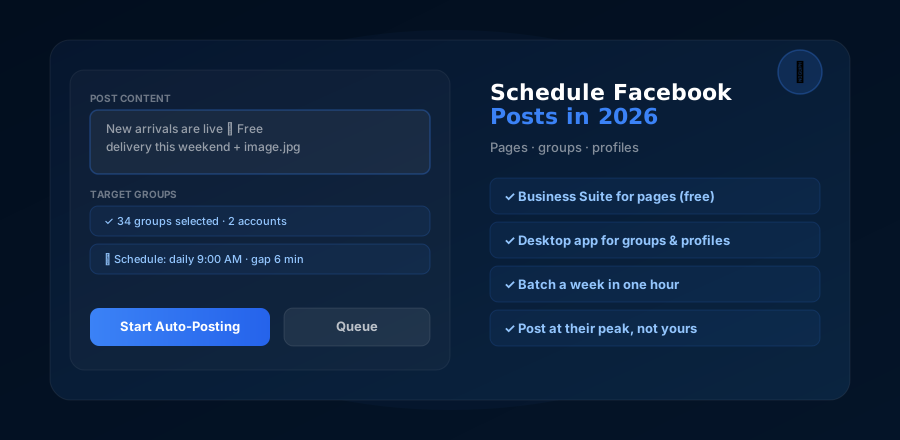
To schedule Facebook page posts: use the free Meta Business Suite (Planner → Create Post → set date/time). To schedule group posts: use desktop software like Facebook Auto Poster, since Meta removed group scheduling from the API in 2024. Personal profile posts have no official scheduler — desktop tools handle those too.
"Schedule Facebook posts" sounds like one task, but in 2026 it is three completely different problems depending on the destination: pages have an official free scheduler, groups lost API access and need desktop software, and personal profiles never had scheduling at all.
This guide covers the working method for each destination, step by step, plus the timing fundamentals that make scheduled posts actually perform.
The 3 Destinations Compared
| Destination | Official scheduling? | Working method 2026 | Cost |
|---|---|---|---|
| Business page | Yes | Meta Business Suite / Buffer / Metricool | Free–$ |
| Groups | No (API removed 2024) | Desktop software (browser-session posting) | ₹3,000 / $35 per year |
| Personal profile | Never existed | Desktop software | Same tool |
Scheduling to Pages with Meta Business Suite (Free)
Open Business Suite
business.facebook.com → select your page → Planner (or Content → Create post).
Compose and pick placements
Write the post, add media, optionally cross-post to linked Instagram.
Schedule instead of publish
Click the arrow next to Publish → Schedule → set date and time. Business Suite even suggests active times based on your followers.
For multi-network needs (LinkedIn, X, Instagram-first workflows), paid schedulers like Buffer or Metricool add value — but for Facebook pages alone, the free official tool is genuinely sufficient. Remember the constraint from our tools comparison: none of these touch groups.
Scheduling to Groups with Desktop Software
Since the Groups API shutdown, the only automation route into groups is software that posts through a real logged-in browser session — the way Facebook Auto Poster works:
Install and connect
Windows 10/11 + Chrome. Log in to Facebook inside the app's browser window; add multiple accounts if you run them.
Select groups and compose
Pick target groups from your synced list (organize them into sets), write the post, attach an image or video.
Set schedule + gaps, start
Choose date/time and the pause between groups (5–10 minutes recommended). The app publishes on schedule while you do literally anything else.
Full setup detail, group-set strategy and safety settings: the complete group auto-posting tutorial.
₹3,000 / $35 per year · No subscription · Access via WhatsApp
Scheduling Personal Profile Posts
Facebook has never offered scheduling for personal profiles — no Business Suite, no API. Yet for many sellers the personal profile is the storefront: marketplace activity, friend-of-friend referrals, local visibility.
Desktop tools solve this the same browser-session way: compose, schedule, and the post publishes to your profile at the set time. Combined with group scheduling in the same app, your whole personal-brand posting calendar can run from one composer.
When to Schedule Posts (The Short Version)
- Consumer audiences: 8–10 AM (commute/breakfast scroll) and 7–10 PM (evening couch time). Weekend mornings punch above their weight for local selling.
- B2B audiences: Tuesday–Thursday, 9 AM–12 PM.
- Groups specifically: post when the group is active, not when you are — check when top posts in each group were published. Full breakdown with day-by-day data: Best Time to Post in Facebook Groups.
The under-appreciated benefit of scheduling: your posts go out at the audience's best hour even when that hour is your school run, your service rush, or 6 AM.
A Weekly Batching Workflow (1 Hour, Sunday Evening)
- 15 min — plan: pick the week's mix — e.g. 3 offer posts, 3 value posts, 1 proof post (the ratio from our group strategy guide).
- 30 min — create: write all seven, prep media. Compress images with the free Image Compressor; resize video for feed with the Video Resizer.
- 15 min — schedule: pages into Business Suite, groups and profile into Facebook Auto Poster with gaps configured. Done — the week runs itself; you only handle comments.
Bottom Line
Scheduling on Facebook in 2026: Business Suite for pages (free), desktop software for groups and profiles (the destinations Meta's tools abandoned). One hour of Sunday batching replaces a week of daily posting anxiety. Facebook Auto Poster is the fastest way to cover the group half — schedule Monday morning's posts tonight.
See Facebook Auto Poster Pricing →Where this trips people up
The scheduling trap nobody warns about is set-and-forget drift. Scheduled content is written in Sunday's context and published into Wednesday's — and occasionally Wednesday brings a price change, a sold-out product, or (worse) a local event that makes your cheerful offer post tone-deaf. Batching still wins, but skim your queue each morning; a 30-second glance catches the post that no longer fits. The second trap is scheduling identical content to a page and fifteen groups at the same minute — cross-posted sameness is visible to anyone in two of those rooms and reads as blanket advertising. Vary the opening line per destination; the tool sends whatever variants you give it. And keep expectations straight: scheduling fixes consistency, which is the biggest lever — but the feed still ranks by engagement, so a scheduled mediocre post is just mediocrity delivered on time.